
- How Does GearUP Booster Work?
- GearUP Booster Features
- Adaptive Intelligent Routing
- Ping Optimization
- Packet Loss Reduction
- Connection Stability
- What Games Does GearUP Booster Support?
- What Platforms Does GearUP Support?
- Does GearUP Booster Increase Internet Speed?
- Does GearUP Booster Really Reduce Ping?
- GearUP Booster Pros and Cons
- Pros
- Cons
- Who Should Consider GearUP Booster?
- Who Probably Doesn’t Need GearUP?
- GearUP Booster vs VPN
- Is GearUP Booster Safe to Use?
- Is GearUP Booster Worth It?
- Final Verdict
How Does GearUP Booster Work?
When you connect directly to an online game, your internet provider determines how your data travels to the game’s server.
That route isn’t necessarily optimized specifically for gaming.
GearUP analyzes available network routes and attempts to send gaming traffic through a more efficient path.
The basic process is simple:
- Install and open GearUP Booster.
- Search for the game you want to optimize.
- Select the appropriate game server or region.
- Start the network boost.
- Launch your game and play normally.
Once activated, GearUP attempts to optimize the route between your device and the game server.
It is important to understand that GearUP does not increase the maximum internet speed provided by your ISP. Instead, its purpose is to improve the quality and stability of the route used by gaming traffic.
GearUP Booster Features
GearUP Booster includes several features aimed specifically at online gamers.
Adaptive Intelligent Routing
One of GearUP’s main technologies is Adaptive Intelligent Routing, often referred to as AIR.
The system analyzes network conditions and attempts to select a more efficient route for gaming traffic.
This may help reduce problems such as unstable ping, packet loss, and sudden latency spikes when the default ISP route to a game server is inefficient.
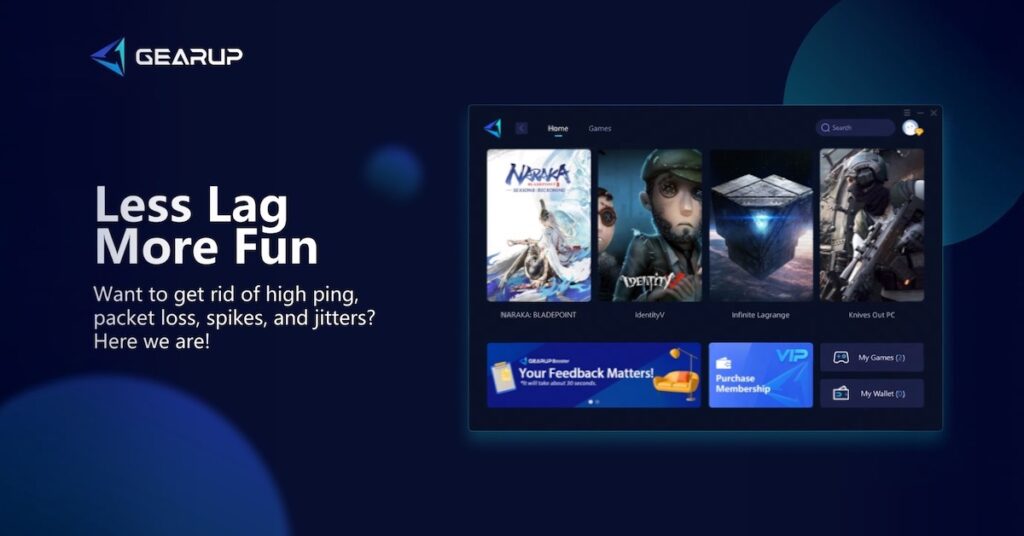
Ping Optimization
High ping can make competitive games difficult to play.
Actions may feel delayed, enemies may appear to react faster, and movement can become less responsive.
GearUP attempts to reduce latency by finding a better network route to the game server.
However, results can vary depending on your location, internet provider, game, and server region.
Packet Loss Reduction
Packet loss occurs when some of the data traveling between your device and the game server fails to reach its destination.
This can cause problems such as:
- Character teleporting or rubber-banding
- Delayed actions
- Connection warnings
- Freezing
- Disconnections
An optimized network route may help reduce packet loss when routing problems are responsible for the issue.
Connection Stability
Low ping alone does not guarantee a good gaming experience.
A connection that constantly jumps between different latency levels can still create noticeable lag.
GearUP is designed to provide a more stable gaming route, potentially reducing jitter and unexpected ping spikes.

- Free Trial Yes
What Games Does GearUP Booster Support?
GearUP Booster is designed to work with a large selection of popular online games.
Depending on the platform and current support, this may include competitive shooters, battle royale games, MMORPGs, MOBAs, sports games, and other multiplayer titles.
Because supported games and platforms can change over time, players should check GearUP’s current game list before subscribing.
What Platforms Does GearUP Support?
GearUP offers solutions for multiple types of gaming devices.
Depending on the product being used, GearUP services may be available for:
- Windows PC
- PlayStation
- Xbox
- Nintendo Switch
- Mobile gaming devices
- Other supported gaming hardware
The setup process can differ depending on the device.
PC players can generally use software directly, while console players may require a compatible GearUP networking solution or additional setup.
Does GearUP Booster Increase Internet Speed?
Not exactly.
GearUP Booster should not be viewed as a replacement for a faster internet connection.
For example, if your internet plan provides 100 Mbps, GearUP will not magically turn it into a 500 Mbps connection.
Instead, GearUP focuses on network routing.
For online gaming, routing quality can sometimes matter more than raw download speed.
A fast internet connection with a poor route to the game server may still experience high ping or packet loss.
Does GearUP Booster Really Reduce Ping?
It can, but the results will depend heavily on your existing connection.
GearUP is most likely to make a noticeable difference when the normal route provided by your ISP to a particular game server is inefficient.
For example, your normal connection might take an unnecessarily long or congested route before reaching the game server. An optimized route may reduce latency or make the connection more stable.
However, if you already have an excellent connection and a low-latency route to a nearby game server, the improvement may be small or even unnoticeable.
For this reason, it is better to evaluate GearUP based on your own game, server, location, and ISP rather than expecting the same results reported by another player.
GearUP Booster Pros and Cons
Pros
- Designed specifically for online gaming
- May help reduce ping on poorly routed connections
- Can potentially reduce packet loss and jitter
- Supports multiple games and gaming platforms
- Simple setup for supported devices
- Useful for players connecting to distant or international game servers
- Focuses on gaming traffic rather than general internet browsing
Cons
- Results vary depending on the ISP, location, game, and server
- It cannot fix every source of lag
- It does not increase your ISP’s maximum internet speed
- Players with already excellent routing may see little improvement
- Continued use may require a paid subscription
- Performance should be tested individually before committing long term
Who Should Consider GearUP Booster?
GearUP Booster may be worth trying if you regularly experience high ping, packet loss, jitter, or unstable connections while playing online.
It may be particularly useful for players who:
- Play on servers located far from their physical location
- Connect to international game servers
- Experience frequent ping spikes
- Have good internet speeds but poor gaming latency
- Experience routing-related packet loss
- Play competitive multiplayer games where latency matters
Competitive gamers may find network stability particularly important in games where even small delays can affect aiming, movement, or reaction time.
Who Probably Doesn’t Need GearUP?
Not every gamer needs a network optimization service.
If you already have consistently low ping, zero or minimal packet loss, and a stable connection to your preferred game servers, GearUP may provide little noticeable improvement.
Before using a gaming booster, it is also worth checking your home network.
Using Ethernet instead of Wi-Fi, restarting or upgrading an older router, reducing network congestion, and selecting a geographically closer game server can sometimes solve gaming connection problems without an additional service.
GearUP Booster vs VPN
GearUP Booster and a traditional VPN are not exactly the same thing.
A VPN is primarily designed to route internet traffic through another server for purposes such as privacy, security, or changing the apparent network location.
A gaming network optimizer focuses specifically on finding efficient routes to game servers.
Both technologies can alter the route your traffic takes, but their primary purposes are different.
In some situations, a normal VPN can actually increase gaming latency because traffic must travel through an additional server.
A gaming optimizer attempts to select routes specifically with gaming performance in mind.
Is GearUP Booster Safe to Use?
GearUP is a third-party network optimization service, so users should always download its software from official sources and review the current privacy policy, terms of service, subscription conditions, and supported games before installing it.
Players should also remember that game publishers can have their own policies regarding third-party software and network tools.
If you are unsure about a particular game, check the publisher’s current rules before using any network optimization service.
Is GearUP Booster Worth It?
GearUP Booster can be worth trying if network routing appears to be the reason behind your gaming problems.
The biggest potential benefit is not faster internet speed but a more efficient and stable connection to the game server.
Players suffering from poor routing, high latency, packet loss, or frequent ping spikes may notice a meaningful improvement.
Players who already have excellent routing and consistently low ping may see much smaller benefits.
The best approach is to compare your gaming connection before and after enabling GearUP. Look at ping, packet loss, jitter, and overall connection stability rather than relying on a single speed test.
Final Verdict
GearUP Booster offers an interesting solution to one of the most frustrating problems in online gaming: poor network routing.
Its routing technology is designed to find more efficient paths between players and game servers, potentially improving ping stability and reducing packet loss.
However, GearUP is not a magic solution for every connection problem. It cannot compensate for severely limited internet service, overloaded home Wi-Fi, distant servers, or problems on the game server itself.
For gamers experiencing routing-related latency or connection instability, GearUP Booster may be worth testing to see whether it provides a measurable improvement.
The key question is simple: does GearUP provide a better route than your ISP?
If it does, the difference in online gaming can be noticeable.